Struggling with Your Professor's Accent? Translate Instantly with BlackTom
Arriving in a foreign classroom for the first time, almost every international student has had this experience: sitting in the lecture hall, the professor lecturing at length, mixing complex vocabulary and unclear pronunciation, making it seem like you're listening to gibberish. What should you do then? Frantically take notes or record the lecture? Both approaches are likely to lead to misunderstandings and missing key points after class. That's where BlackTom's intelligent classroom assistant and real-time speech translation function come in handy!
What is BlackTom Real-Time Speech Translation?
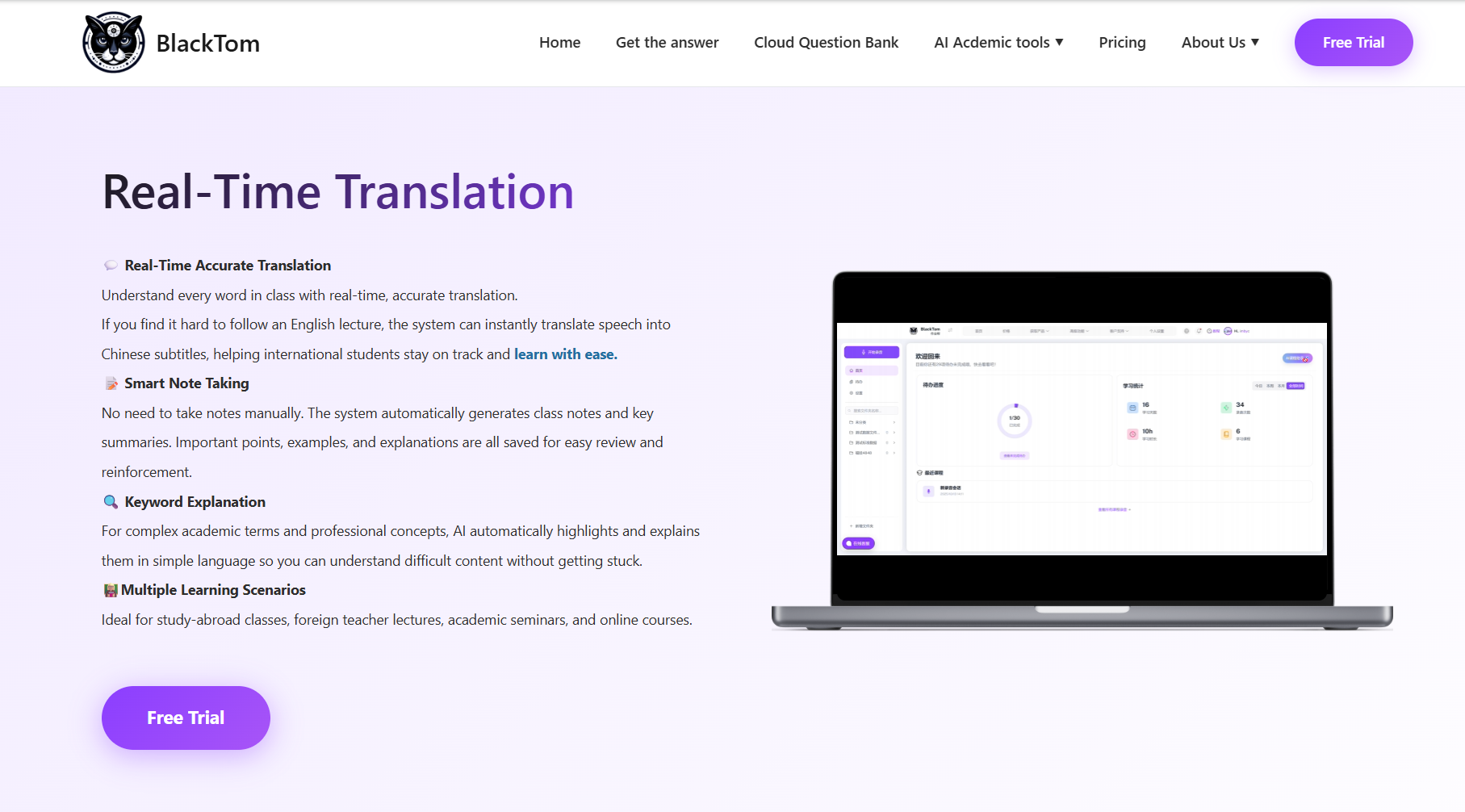
BlackTom's intelligent classroom assistant" supports real-time speech-to-text, multilingual translation, and conversation management, improving the efficiency of learning notes and organization, making the classroom smarter. In other words, when the professor speaks in class, BlackTom can "listen" to the speech and convert it into text in real time, even performing multilingual translation as needed, allowing you to see a version in your preferred language.
Furthermore, the new version of BlackTom includes a real-time transcription function, which can automatically organize important tasks mentioned in class, summarize key points, and identify discussion topics, allowing you to quickly catch up on the class even if you're distracted for a minute or two.
In short, BlackTom's speech translation goes beyond simply generating text from speech; it strives for intelligent integration of classroom content.
How to Maximize the Use of BlackTom's Real-time Speech Translation?
Learn how to use BlackTom's real-time speech translation correctly for efficient learning:
Real-time Analysis of Classroom Content
When the class starts, click the "Start Recording" button, and AI... The system analyzes classroom content in real time, automatically generating notes to record the topics and key points of the lesson. When a technical term is detected, it will be highlighted on the screen and its explanation can be viewed with a single click. It also supports highlighting analysis; if you don't understand something, simply hover your mouse over it for a detailed explanation.
Listen and Highlight
Based on the automatically generated classroom summaries and task reminders, you can highlight keywords and mark questions in your textbook or your own notes, making post-class review easier. AI also provides real-time analysis and answers to questions raised by the professor, helping you solve classroom difficulties.
Review and Revisit After Class
After class, you can review the translated text, summaries, and discussion content, comparing them with the classroom recording to fully review what you've learned and solidify your knowledge. It can also generate course schedules and assignments based on the professor's requirements for easy follow-up.
Conclusion
Not Understanding Accents Isn't Your Fault, Tools Are Key!
Professors have diverse accents and varying speaking speeds, making it impossible for every international student to understand everything from the start. But you can use BlackTom. Its real-time speech-to-text function is like installing a "real-time caption" translator and summary generator on yourself. If you use it as an "invisible teaching assistant" in the classroom, listening and reading the text simultaneously, getting summaries after class, and completing assignments, your classroom comprehension efficiency will increase dramatically.