Online Class Productivity: How to Stay Focused When Learning From Your Dorm
Jan 13, 2026
Let’s be honest—attending online classes from your dorm sounds like a dream, but the reality is far trickier. Between roommates' blaring music, the temptation to scroll TikTok during lectures, and the blur between “study time” and “chill time,” staying focused feels nearly impossible. I’ve been there: I once logged into a sociology lecture only to realize 45 minutes later that I’d spent the entire class reorganizing my phone photos.
But after two years of perfecting my dorm-based online class routine—through trial, error, and a lot of focus hacks—I’ve learned that productivity in a small, distracting space isn’t about willpower alone. It’s about setting up systems that work with your environment, not against it. Below is the step-by-step plan that transformed my scattered online class experience into one that’s actually productive.
1. Carve Out a “Class-Only” Nook
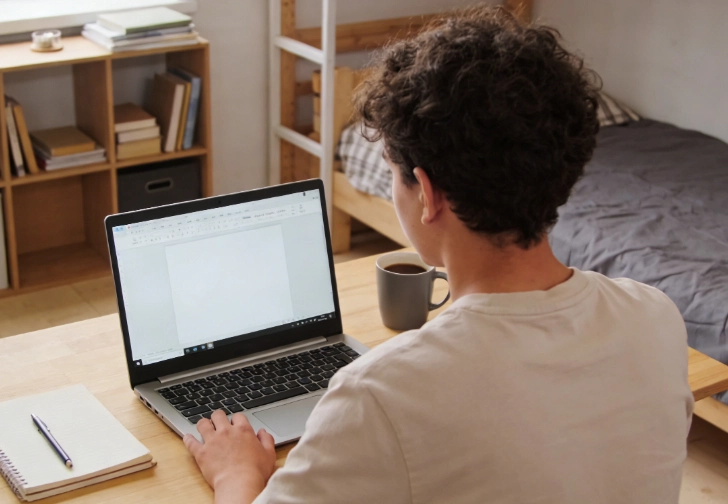
The biggest mistake you can make is attending class from your bed or couch. Your brain associates those spaces with relaxation, so sitting there will make you sleepy or distracted before the lecture even starts. Instead, create a tiny, dedicated “study zone” in your dorm—no matter how small your space is.
For me, it’s a corner of my desk pushed against the window: I cleared it of snacks, photos, and random trinkets, leaving only my laptop, a notebook, and a water bottle. If you don’t have desk space, use a folding tray on your bed (sit up straight!) or even the floor with a pillow for back support. The key is to train your brain: “When I’m in this spot, it’s time to focus—not scroll, not snack, not chat.”
Pro tip: Add a small visual cue to reinforce the habit—like a specific mug or a desk lamp you only use during classes. I have a neon desk light that I turn on only when logging into lectures, and now just flipping it on puts me in “focus mode.”
2. Master the “Distraction Detox.”
Dorms are chaos central—roommates, hallway noise, notifications, and even your own wandering thoughts will pull you away. Beat them to the punch with a quick pre-class detox:
- Phone: Put it on “Do Not Disturb” and place it across the room. I use the “Focus” mode on my iPhone to block social media apps entirely during class hours.
- Roommates: Give them a heads-up 10 minutes before class: “Hey, I have a lecture from 1–2 PM—could you keep the music down?” Most people are happy to oblige if you communicate in advance.
- Tech: Close all browser tabs except the one for your class. Use a tool like Freedom or Cold Turkey to block distracting websites if self-control is a struggle.
If background noise is unavoidable, invest in a cheap pair of noise-canceling headphones. You don’t need top-of-the-line—even basic ones will muffle distractions enough to help you focus. I use a $20 pair from Amazon, and they’ve been a game-changer for early-morning lectures when my roommate is making smoothies.
3. Engage Actively—Don’t Just “Zone Out.”
Online classes are passive by nature—you’re staring at a screen, not interacting with peers or your professor face-to-face. It’s easy to zone out, but active engagement is the secret to staying focused.
Here’s how to stay present:
- Take handwritten notes: Typing is fast, but writing by hand forces your brain to process information. I jot down key points, questions, and even funny quotes from my professor—anything to keep my pen moving.
- Participate: Raise your virtual hand, ask questions in the chat, or respond to your professor’s prompts. Even small contributions keep you invested. My economics professor often calls on students randomly, so staying alert isn’t just about productivity—it’s about avoiding embarrassment.
- Pretend you’re in an in-person class: Sit up straight, make eye contact with the screen, and avoid multitasking. Eating, folding laundry, or scrolling while listening might feel efficient, but you’ll miss half the material.
If you’re struggling to follow along—like when a professor uses complex jargon or fast-paced slides—tools can help without being a crutch. I’ve used BlackTom’s real-time translation feature a few times for my literature class, where we analyze foreign-language texts, and it helps me keep up with the lecture instead of getting stuck on a single word. It’s one of those subtle assignment help for students resources that supports your learning, not replaces it.
4. Use the “5-Minute Break” Rule
When your class ends, it’s tempting to stay glued to your screen or collapse onto your bed. But taking a purposeful 5-minute break will recharge you for your next task—whether that’s another class, homework, or a study session.
Here’s what to do (and what to avoid):
- Do: Stretch, walk around your dorm, drink water, or grab a quick snack. I use this time to text a friend or stare out the window—anything that gets my eyes off a screen.
- Don’t: Scroll social media, turn on a show, or start a deep conversation with your roommate. These activities will pull you into a “relax mode” that’s hard to snap out of.
If you have back-to-back classes, use the 5 minutes to organize your notes from the first lecture—jot down any questions you have or topics you need to review later. This small task keeps your brain in “study mode” without burning you out.
5. Tie Class to Action
One of the biggest downsides of online classes is the disconnect between lectures and assignments. It’s easy to finish a class, close your laptop, and forget everything you learned—until homework time rolls around and you’re confused.
Fix this with a quick post-class “action step”:
- Write down 1–2 key takeaways from the lecture.
- If the professor mentioned an assignment, add it to your calendar with a reminder 2 days before the due date. I use Google Calendar to color-code assignments—red for urgent, blue for upcoming—and it keeps me from forgetting deadlines.
If you’re stuck on how to apply what you learned to an assignment—like a research paper or problem set—BlackTom can help bridge the gap. It’s not an app that does your assignment; I’ve used its photo-solving feature to upload a tricky homework problem from my stats class and get step-by-step explanations, or its paraphrasing tool to refine my discussion post drafts. It’s a helpful backup when you’re stuck and can’t ask a classmate or professor right away.
6. Set Boundaries to Avoid Burnout
When your classes and study sessions are in your dorm, it’s easy to feel like you’re “always on.” This leads to burnout fast. Protect your mental health by setting clear boundaries between “school time” and “me time.”
For me, that means closing my laptop by 7 PM every night and doing something that has nothing to do with school—cooking dinner with my roommate, watching a show, or going for a walk around campus. I also avoid studying in my bed altogether—my bed is for sleeping, not work.
Pro tip: Write down a “done list” at the end of the day, not a “to-do list.” Instead of focusing on what you didn’t finish, celebrate what you accomplished. It’s a small mindset shift that reduces stress and keeps you motivated.
Final Thoughts: Productivity in Your Dorm Is About Systems, Not Perfection
Staying focused during online classes from your dorm isn’t about being “super productive” 24/7—it’s about setting up simple systems that work with your space and your habits. You’ll have days where you scroll through half a lecture, but don’t beat yourself up. The goal is progress, not perfection.
And remember: Tools like BlackTom are there to support you when you hit roadblocks—whether that’s staying focused during a lecture, understanding a tricky concept, or finishing an assignment. They’re not shortcuts; they’re resources that help you do your best work without burning out.
The next time you log into an online class from your dorm, take 5 minutes to set up your nook, detox from distractions, and commit to active engagement. You’ll be surprised at how much more you learn—and how much less stressed you feel.

Maximize Academic Lectures & Seminars: Significance & Pro Tips
Jan 26, 2026
How to Build a Strong Resume in College Even If You Have No Experience
Jan 23, 2026
5 Easy Workouts You Can Do in Your Off-Campus Apartment
Jan 22, 2026

Mental Health Tips for College Students: Beat Stress & Avoid Burnout
Jan 21, 2026